

No more
expired food

Pantry, fridge, freezer and food containers under control. Scan, let the AI on your iPhone do the rest and use up what you already have.

Download on the App Store iPhone & iPad · Free forever
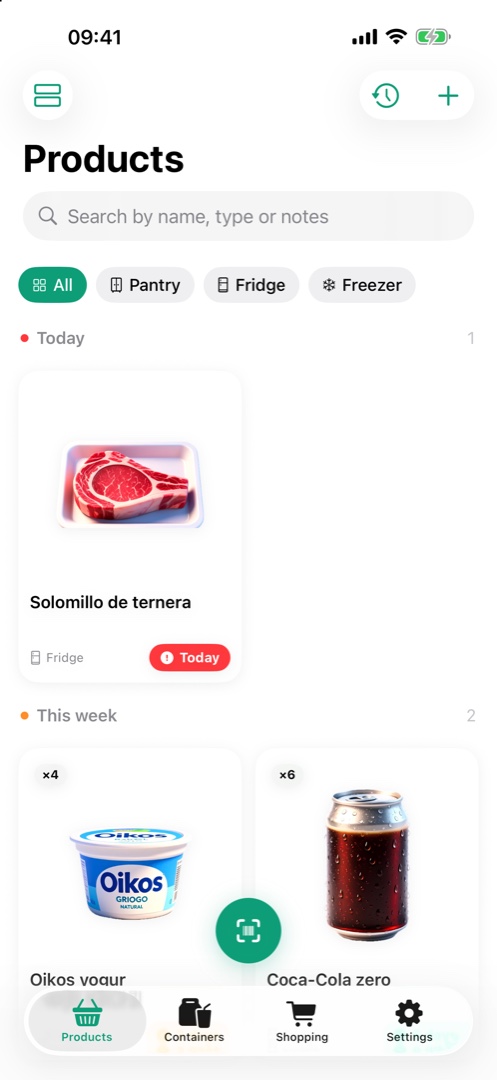
FreshTrack: products grouped by expiry urgency
Features

Expiry dates, NFC containers and the shopping list

Every feature built for one thing: nothing expires on you, and adding it all takes seconds.

Add product sheet: scan or manual Product detail with data read by on-device AI Containers with dish image and expiry FreshTrack homes manager FreshTrack shopping list FreshTrack settings with alert configuration
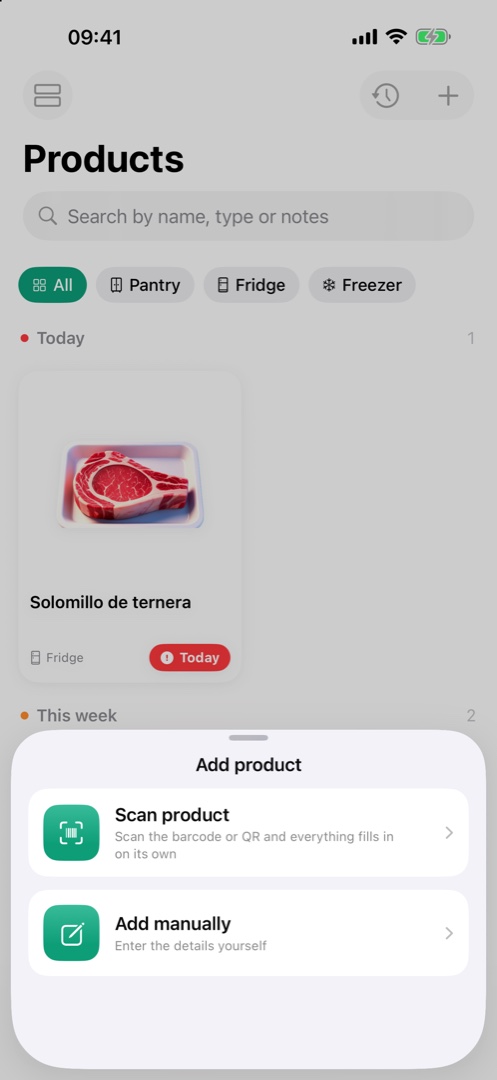
Add product sheet: scan or manual

Adding is scanning

Point at the barcode and the product sheet fills itself in with the online lookup. No typing.

  • Barcode and QR, with tap to focus
  • Type, location and standard shelf life set automatically
  • Multipacks detected (“24 × 330 ml” → 24 units)
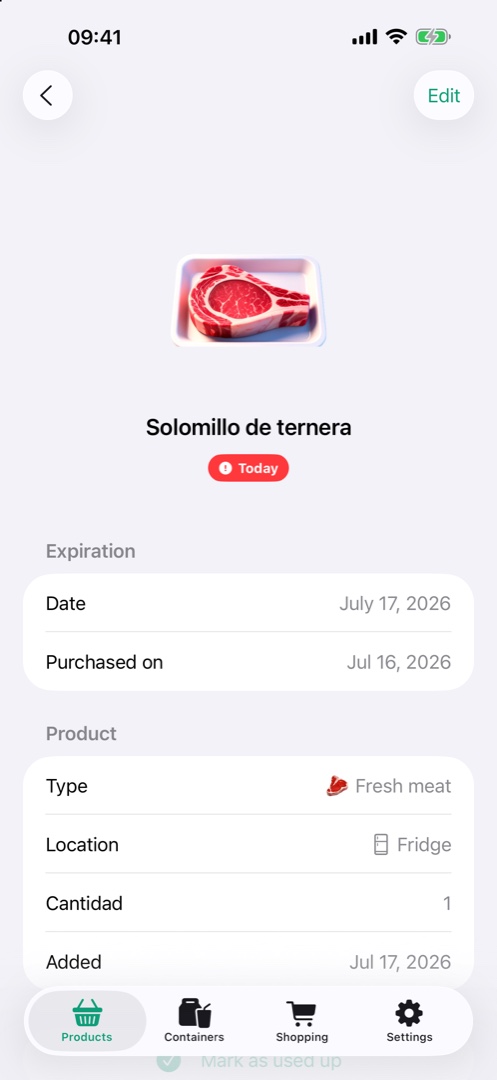
Product detail with data read by on-device AI

AI reads the label

Apple Intelligence reads the package with the camera and saves everything, running entirely on your iPhone.

  • Date, lot, nutrition, ingredients and allergens
  • Product image generated by AI, consistent style
  • Nothing leaves your device
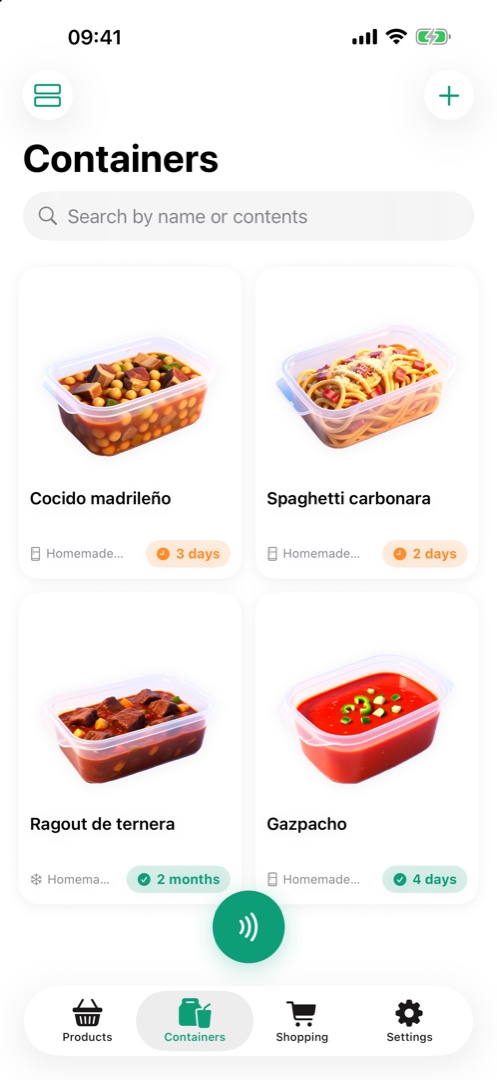
Containers with dish image and expiry

Containers with NFC tags

Stick a rewritable NFC tag on the lid, write it from the app and tap your iPhone to see what’s inside and when it expires. Our guide to NFC labels for food containers covers which tag to buy, where to stick it and whether it survives the freezer.

  • Tags reusable when you empty the container
  • Expiry based on the food type and where you store it
  • With an AI-generated photo of the dish
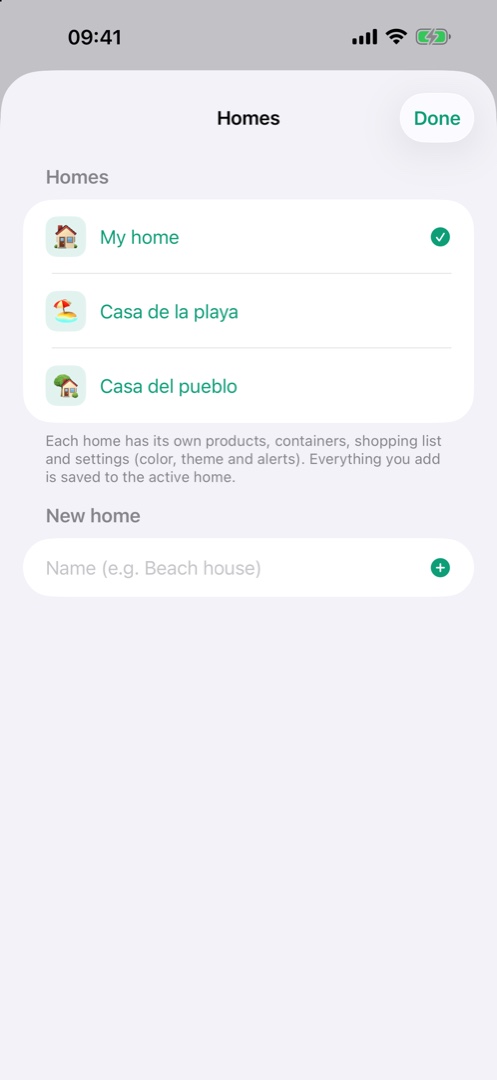
FreshTrack homes manager

All your homes

Your everyday home, the beach house, the village house. Each with its own pantry, containers, shopping list and settings.

  • Switch homes in two taps
  • Synced across your devices with iCloud
  • Custom accent color and app icon per home
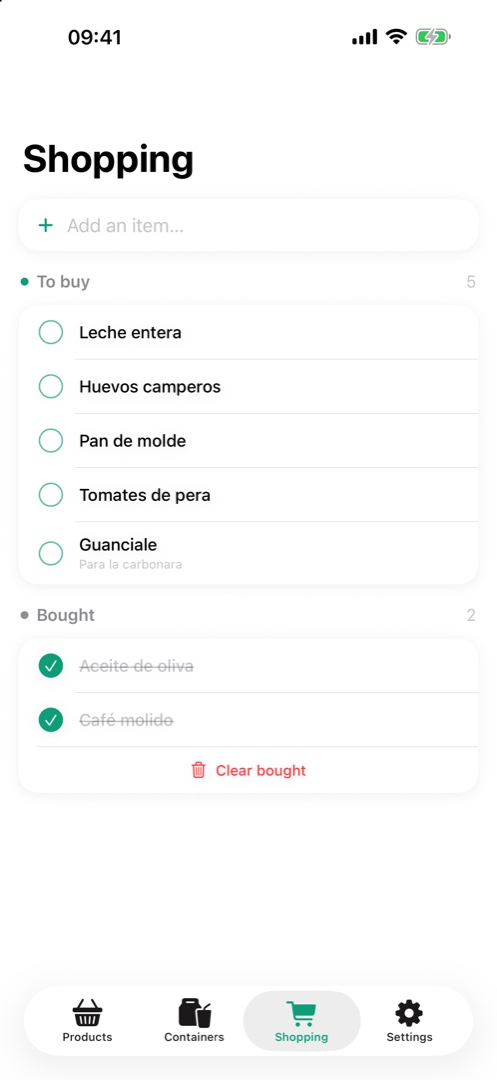
FreshTrack shopping list

Shopping, come full circle

What you consume goes to the history, and from the history to the shopping list in one gesture. Back from the store, rescan and the product re-adds itself with all its data.

  • Mark as bought with one tap, with a note per item
  • Add from the history or type it right in
  • Each home with its own list, synced with iCloud
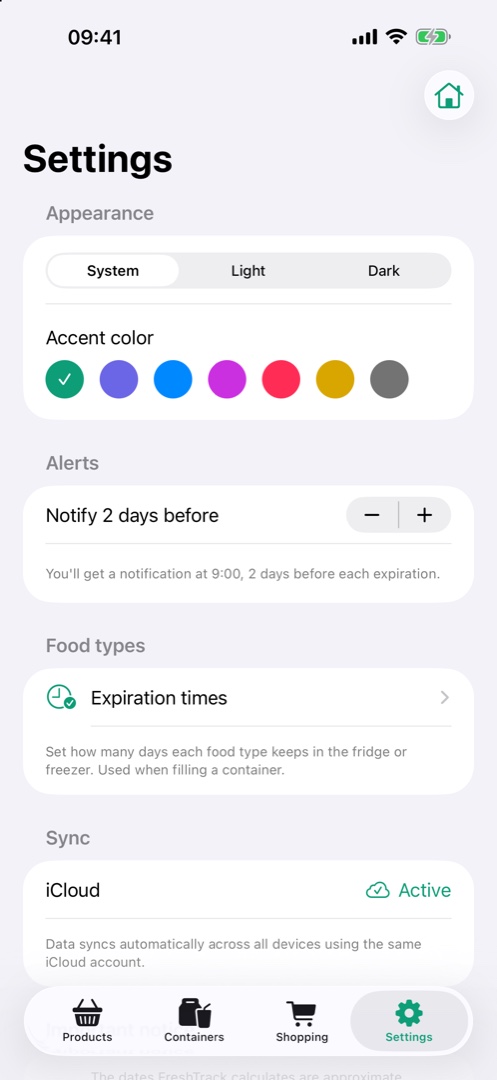
FreshTrack settings with alert configuration

Smart alerts

One alert a day with what’s about to expire, grouped and spam-free. You choose how far in advance.

  • One daily alert per section: products and containers
  • Urgency groups: expired, today, this week
  • Tap the alert and the right tab opens
$0
no limits, no subscriptions, no ads
0
data collected
100%
on-device AI
22
product types with standard shelf life
homes, containers and products

Privacy, for real

FreshTrack collects no data at all. Everything lives on your device and in your private iCloud; the AI runs locally and product lookups only send the barcode, never your identity. The App Store privacy label says it plainly: “Data Not Collected”.

Read the privacy policy
FAQ

The questions people ask

Where can I download FreshTrack?

On the App Store, for free. It runs on iPhone and iPad with iOS 17 or later.

Is FreshTrack free?

Yes, completely: no limits, no subscriptions, no in-app purchases and no ads. Everything is unlocked from day one.

Do I need NFC tags to use the app?

No. Containers can be created, edited and deleted by hand in the app; the tag only adds being able to tap your iPhone on the container to see what's inside and when it expires. Rewritable NTAG213 or NTAG215 tags work, stuck on the lid and away from metal. Want to know more? Read our full guide to NFC labels for food containers.

Does it work without Apple Intelligence?

Yes. On a device without Apple Intelligence, label reading falls back to classic OCR and product images are the built-in ones per food type. No feature is blocked.

Does it sync between my iPhone and iPad?

Yes, over iCloud and automatically across devices signed in to the same Apple Account. If iCloud is unavailable, the app keeps working locally.

Does FreshTrack collect my data?

It collects none. Everything lives on your device and in your private iCloud database. Scanning a barcode sends only the product number to Open Food Facts, with no identifier of you or your device.

Can I keep more than one home?

Yes. Each home has its own pantry, containers, shopping list and settings, and you switch between them in two taps.

What do I need to use it?

An iPhone or iPad running iOS 17 or later. Reading and writing NFC tags also needs an iPhone 7 or later.

Not your question? There are more answers on the FreshTrack support page, and you can always write to us.

Out now on the App Store

Free, no ads and no data collected. For iPhone and iPad running iOS 17 or later.

Download on the App Store